

Stable Audio for Premiere Pro.
A Premiere Pro panel that generates music and sound design with Stable Audio 3 and places the result on your timeline.

Project Details

@maxfieldhulkerSAI
Builder since 2026
- Published
- 11/05/2026
- Model
- Stable Audio 3.0 Large
- Hosting
- API
- License
- MIT
Endpoints Used
- Text to Audio
- Audio to Audio
- Inpaint
What It Does
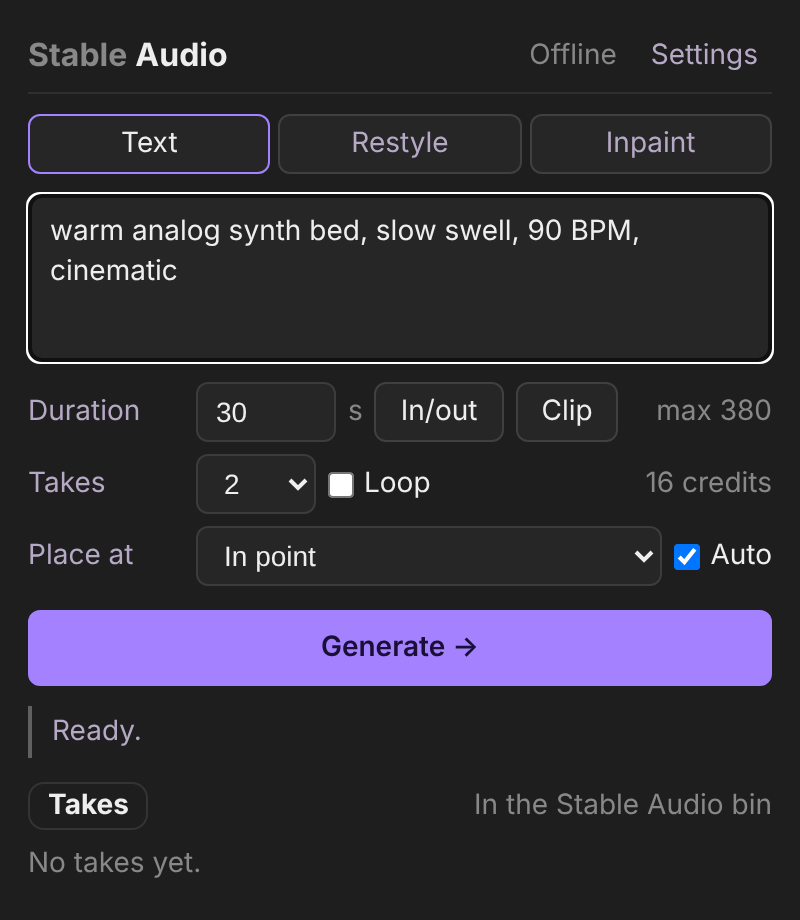
Pick a mode (Text, Restyle, Inpaint), type a prompt, set the length from the sequence in/out or the selected clip, and generate one to four takes. Each take is imported into a "Stable Audio" bin and, with Auto on, placed on a new audio track at the in point or playhead as a single undo step. Restyle and Inpaint use the audio you select on the timeline as the reference: the panel renders the in/out range through Premiere's exporter (or cuts it straight from the clip's WAV) and sends it to the API. The header shows your credit balance and the cost of the run before you click.
- Text to audio, audio to audio (restyle a reference), and inpaint (regenerate a section)
- Reference audio is the in/out range you select on the timeline (rendered through Premiere's exporter with a WAV preset, or cut from the clip's WAV media), or a file
- Inpaint uses the selected clip as context and your in/out as the section to regenerate; "Extend to out point" fills a gap after a clip
- Duration from the sequence in/out range or the selected clip
- 1 to 4 takes per run, each imported into a "Stable Audio" bin
- One click places a take on a new audio track at the in point or playhead, as a single undo step
- Seamless loop toggle (prompt-level for now)
- Sign in with Stability (browser sign-in through a broker service, see below) or paste an API key; either way the key lives in UXP secure storage and the credit balance shows in the header
- Settings has Sign in with Stability, Get a key, Sign out (removes the key from this machine), and privacy and terms links; the browser-opening ones use the system browser, which UXP asks the user to allow once
Code Snippets
curl -X POST https://api.stability.ai/v2beta/audio/stable-audio/text-to-audio \
  -H "Authorization: Bearer $STABILITY_API_KEY" \
  -F model=stable-audio-3 \
  -F prompt="A punchy lo-fi drum loop with dusty vinyl crackle, 90 BPM." \
  -F duration=30 \
  -o result.mp3
How It Uses Stable Audio
Text to Audio
The Text mode. Prompt, duration from the timeline (up to 380 s), output_format wav or mp3, a random seed per take so takes differ, optional loop phrasing in the prompt.
Audio to Audio
The Restyle mode. The selected timeline range is sent as audio (6 to 380 s) with the prompt and strength (0.7 default; 0 keeps the input, 1 ignores it).
Inpaint
The Inpaint mode and "Extend to out point". The selected clip is sent as audio for context, and in/out becomes mask_start / mask_end; extend puts the mask at the end of the clip and grows duration to the out point.
Explore more projectsjust like this one.
 Stable Audio 3.0 LargeLocalAPI
Sculptro
Javor Vatchkov
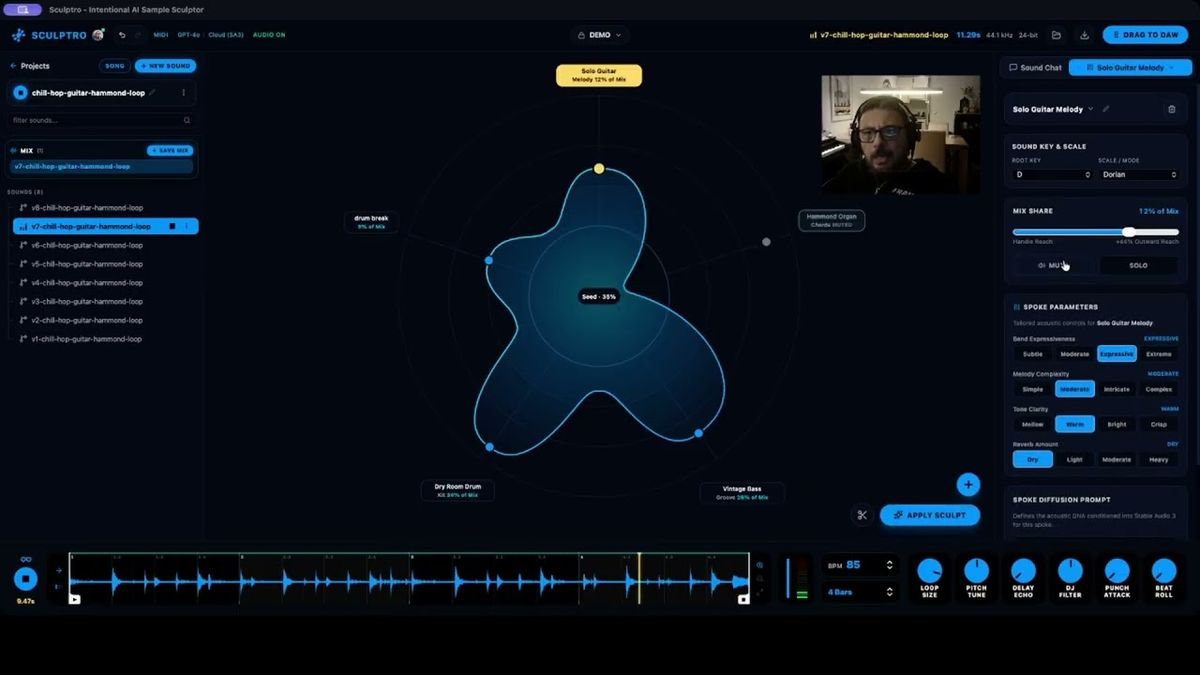
SCULPTRO is a native AI sound-sculpting instrument powered by Stable Audio 3 that turns any text prompt into an interactive spider diagram of custom sonic spokes, each with its own generated acoustic parameters, so producers can shape, inpaint, layer, and drag WAV samples straight into their DAW.
 Stable Audio 3.0 LargeLocal
Audio Studio Mcp
@kanaworksai-hue
Audio Studio MCP gives Claude Code, Claude Desktop, Cursor and any other MCP client a sound studio that runs on your own Mac or Windows PC
 Stable Audio 3.0 LargeAPI
FM Oscillator × Stable Audio 3
@maxfieldhulkerSAI
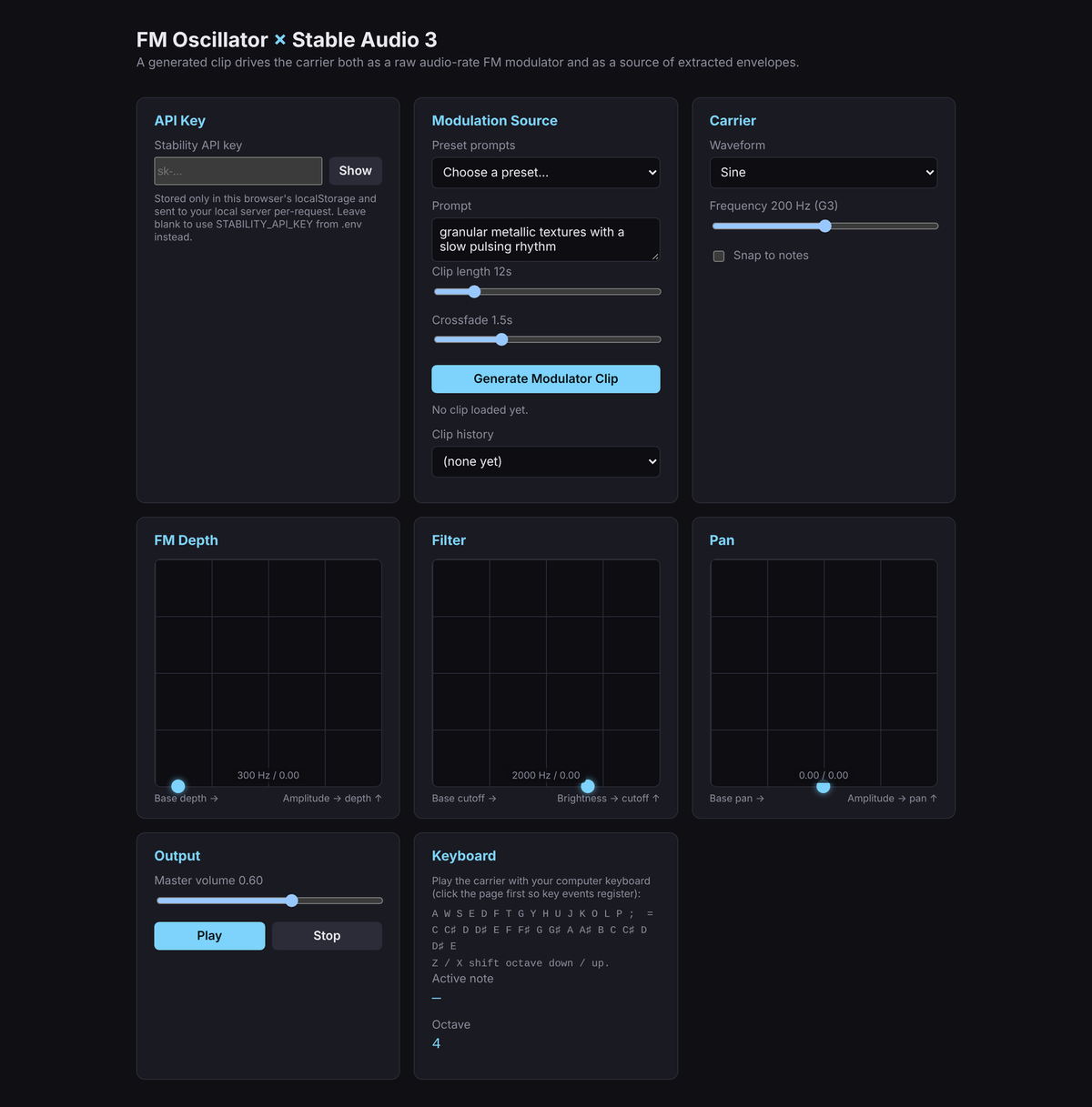
A real-time FM synthesizer whose modulator is a generated Stable Audio 3 clip.
 Stable Audio 3.0 LargeAPI
Generative Tracker
@maxfieldhulkerSAI
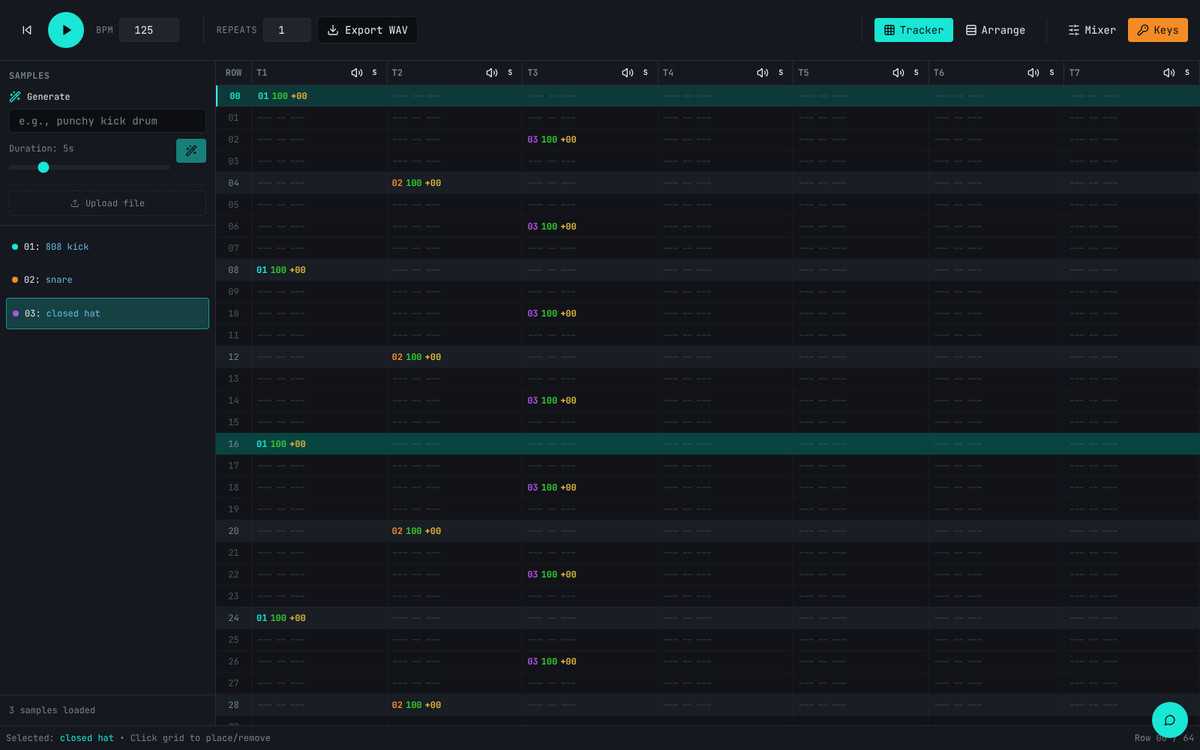
A browser tracker DAW where every sample is generated by Stable Audio 3 from a text prompt, and an AI assistant builds and edits the pattern for you.